
Does the iPhone 14 Only Have eSIM? The Clear Answer for US Buyers
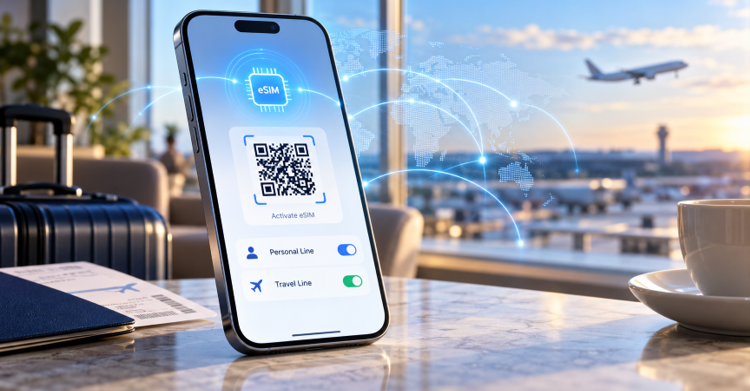
Short answer: it depends on where you bought the phone. In the United States, the iPhone 14 is eSIM only. When Apple launched the lineup in September 2022, it dropped the physical SIM tray on every US model. The rest of the world kept the tray. Here is what that actually means for you, and how to avoid getting stranded without service.
Does the iPhone 14 Only Have eSIM in the US?
Yes. In the United States, Apple went all in with eSIM technology and released the iPhone 14 without a SIM card tray. There is no slot to pop a nano SIM into. You activate service digitally instead.
This applies across the board. The iPhone 14, 14 Plus, 14 Pro, and 14 Pro Max sold in the US all ship trayless. If you buy your phone from a US Apple Store or carrier, you are using eSIM whether you planned to or not.
What About International iPhone 14 Models?
Outside the US, the story changes. International models continue to ship with a physical SIM tray and support both options. So a phone bought in Europe, Asia, or Latin America still takes a nano SIM alongside its eSIM.
This matters if you shop for a used or imported device. A model purchased abroad can carry a tray that the US version simply does not have. Check the region of purchase before you assume anything.
What Is an eSIM, Exactly?
An eSIM is a SIM card built directly into your phone. The "e" stands for embedded. Instead of inserting a plastic card, you load a carrier profile through software, usually by scanning a QR code or tapping a button in an app.
The technology is not new, but the iPhone 14 pushed it into the mainstream for American users. No tray means no lost cards, no paperclip to eject anything, and no waiting for a card in the mail.
Can the iPhone 14 Run Two Numbers at Once?
Yes, and this is the part people miss. Going eSIM only did not kill dual SIM. The iPhone 14 handles multiple lines entirely through software.
You can store eight or more eSIMs on a single iPhone 14 and keep two active at the same time. That means one number for work and one for personal use, or a home line plus a travel line, all on one device. For frequent travelers, this is a genuine upgrade over the old single tray setup.
Pros and Cons of an eSIM-Only iPhone
eSIM only is a real shift in how you manage service. Here is the honest breakdown.
● Faster setup: You can activate a plan in minutes without visiting a store.
● Better security: A thief cannot pull your SIM to dodge Find My iPhone.
● More flexibility: Switching carriers no longer means swapping cards.
● Harder phone swaps: Moving your number to a non-eSIM phone takes extra steps.
● Carrier dependence: You need a provider that supports eSIM, though nearly all major US carriers now do.
Staying Connected When You Travel Abroad
This is where eSIM only becomes a feature, not a limitation. Since your US iPhone 14 cannot take a foreign SIM card anyway, a travel eSIM is the natural fix for data overseas.
You buy a plan for your destination, install it before you fly, and land with working data. No roaming shock, no hunting for a shop at the airport. Providers like Holafly let you set up a destination plan in advance and keep it on a second line while your home number stays active. It slots neatly into the dual SIM feature the iPhone 14 already gives you.
Think of connectivity the way you think of chargers, adapters, and other travel essentials. Sorting it before departure saves money and stress once you arrive.
How to Activate an eSIM on iPhone 14
The process is quick. Most people finish in under five minutes.
Open Settings, then tap Cellular or Mobile Data.
Tap Add eSIM or Add Cellular Plan.
Scan the QR code from your carrier or travel provider.
Label the line, for example "Travel" or "Primary".
Choose which line handles calls, texts, and data.
You can do this over Wi-Fi anywhere, including at home before a trip. That is the whole point of embedded SIMs.
Frequently Asked Questions
Can I switch my US iPhone 14 back to a physical SIM?
No. The US model has no tray, so a physical card is not an option. You must use eSIM.
Will my old nano SIM work in a US iPhone 14?
Not directly. You cannot insert it. Your carrier can usually convert the existing number to an eSIM profile instead.
Does eSIM only drain the battery faster?
No. An eSIM uses the same power as a physical SIM. Running two active lines can use slightly more, but the difference is minor.
Can I use eSIM and a travel plan at the same time?
Yes. Keep your home number active on one line and a destination data plan on the second. The iPhone 14 supports two active eSIMs together.
What happens if I move to a phone with a SIM tray?
Your carrier can transfer the number to a physical SIM or a new eSIM. Expect a short setup step, but your number carries over fine.
The Bottom Line
If you bought your iPhone 14 in the US, it is eSIM only, and that is final. International models still take a nano SIM. For most users this is a smooth, flexible way to manage one or two numbers. And when you head overseas, loading a travel eSIM before takeoff turns the "no tray" design from a worry into an advantage.


Dedicated to—and in the name of justice for—Jane Doe and all of the women fighting against SA.